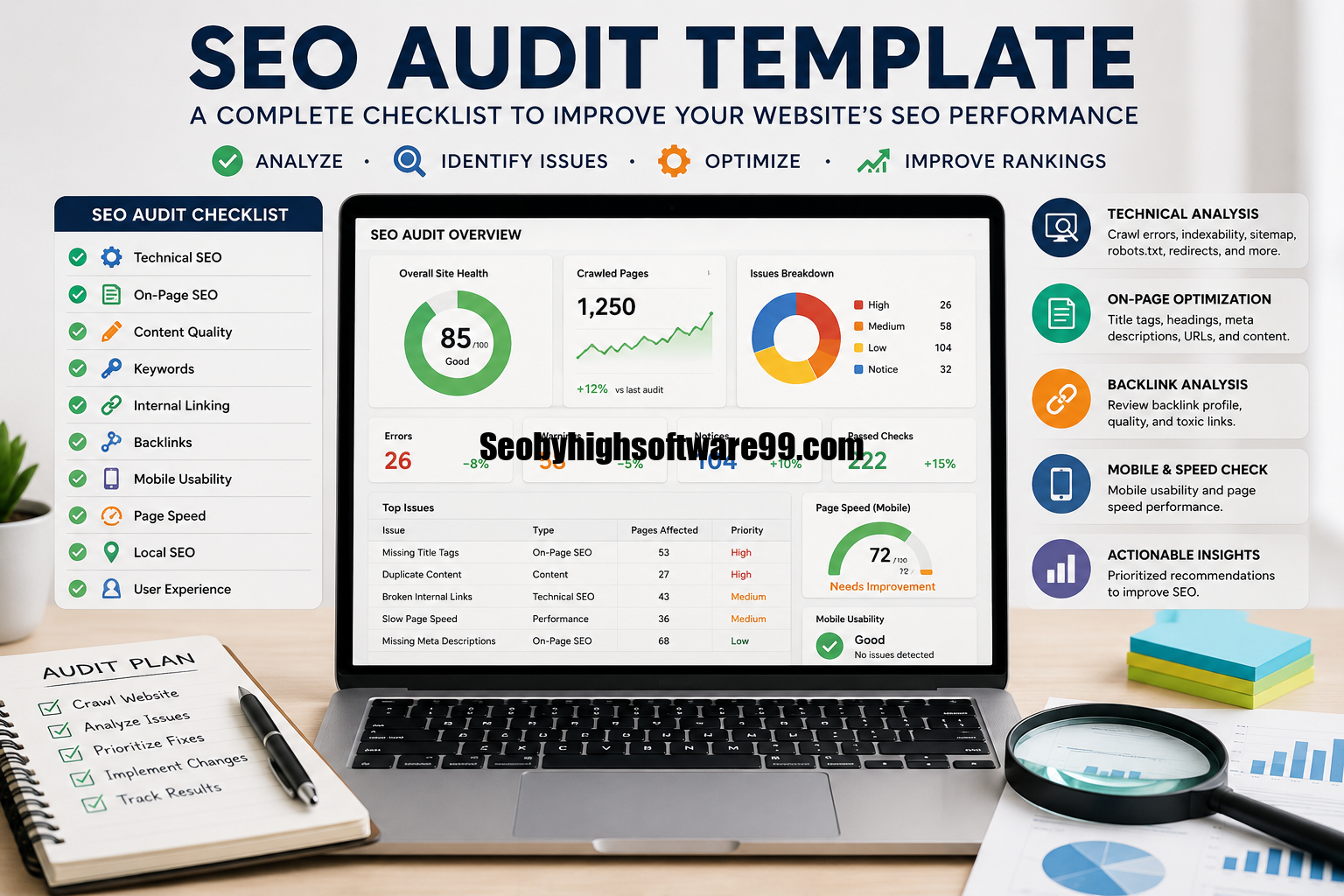
SEO Audit Template: Guide to Auditing Your Website
SEO audit template gives website owners, marketers, and SEO professionals a systematic way to evaluate a website’s search engine performance. Instead of checking SEO elements randomly, an audit template organizes important areas such as technical SEO, on-page optimization, content quality, internal linking, backlinks, mobile usability, and page performance.
Search engines consider hundreds of signals when determining how pages should appear in search results. A website may have excellent content but still struggle to rank because of technical problems, poor site structure, weak internal links, slow pages, or indexing issues. A structured SEO audit can help identify these problems and turn them into actionable improvements.
What Is an SEO Audit Template?
An SEO audit template is a structured checklist or document used to review the different elements that influence a website’s organic search performance. It provides a repeatable process for finding SEO problems, recording their impact, assigning priorities, and tracking improvements.
Rather than starting every audit from scratch, SEO professionals can use a template to make sure important areas are not overlooked. A good template can be created in a spreadsheet, project management platform, document, or specialized SEO tool.
The template normally includes sections for technical SEO, on-page SEO, content, keywords, internal links, backlinks, mobile optimization, website performance, and other relevant factors.
For example, an audit spreadsheet might contain columns such as:
| SEO Area | Issue | URL | Priority | Recommended Action | Status |
| Technical SEO | Broken internal link | Example URL | High | Replace or remove link | Pending |
| On-Page SEO | Missing title tag | Example URL | High | Add relevant title | Completed |
| Content | Thin content | Example URL | Medium | Expand and improve content | Pending |
| Internal Linking | Weak internal links | Example URL | Medium | Add relevant links | Pending |
| Performance | Slow loading page | Example URL | High | Optimize page resources | Pending |
This simple structure makes an SEO audit easier to manage and communicate.
Why Is an SEO Audit Important?
An SEO audit helps you understand how well a website is optimized for search engines and users. Without regular audits, important technical and content problems can remain hidden. One major benefit is that an audit can reveal issues preventing search engines from discovering, crawling, indexing, or properly understanding pages. It can also identify opportunities to improve existing content and website structure.
An audit is particularly useful when organic traffic suddenly declines, a new website is launched, a website migration takes place, or a business wants to develop a new SEO strategy. A well-organized audit also helps prioritize tasks. Not every SEO issue requires immediate attention. Problems that affect indexing, important pages, or website accessibility may deserve higher priority than minor optimization opportunities.
What Should an SEO Audit Template Include?
A comprehensive SEO audit template should cover the major areas that influence organic visibility. The exact sections can vary depending on the website, industry, size, and objectives.
1. Technical SEO
Technical SEO focuses on the infrastructure and accessibility of a website. The objective is to make it easier for search engines to crawl and understand the site while providing a good experience for visitors.
During a technical audit, check whether important pages can be crawled and indexed. Review the robots.txt file, XML sitemap, canonical tags, redirects, status codes, HTTPS implementation, and other technical elements.
Look for broken pages returning unnecessary errors, redirect chains, duplicate URLs, incorrect canonicalization, and pages that are accidentally blocked from search engines.
Technical SEO should be one of the first sections of an audit because serious technical problems can affect large portions of a website.
2. Website Indexing
A page cannot generally receive organic search visibility if it is not properly available for indexing.
Your SEO audit template should include checks for:
- Indexed pages
- Noindex directives
- Robots.txt restrictions
- XML sitemap coverage
- Canonical URLs
- Duplicate pages
- Crawlable internal links
- Incorrect redirects
Compare important website pages with the pages appearing in search engine indexes. Unexpected differences can sometimes indicate technical problems that need further investigation.
3. On-Page SEO
On-page SEO evaluates how individual pages are optimized for their target topics and search intent.
Important elements include title tags, meta descriptions, headings, URLs, content structure, image optimization, internal links, and relevant keyword usage.
A good SEO audit should not focus only on whether a keyword appears on a page. Content should also satisfy the search intent behind the query and provide useful information to visitors.
Review whether each important page has a clear primary topic, descriptive title, logical heading structure, and content that genuinely addresses the user’s needs.
4. Content Audit
Content is one of the most important areas to evaluate during an SEO audit.
A content audit looks at whether website pages are useful, accurate, relevant, original, and aligned with the audience’s search needs. It can also reveal outdated articles, duplicate topics, pages with little useful information, and content that no longer matches current search intent.
For each important page, consider questions such as:
- Does the content answer the target query?
- Is the information accurate and current?
- Does the page provide something useful to readers?
- Is the content easy to scan?
- Does the page overlap with another page on the same website?
- Does the content need updating or expansion?
Instead of creating new content automatically, an audit can reveal opportunities to improve pages that already exist.
SEO Audit Template Checklist
The following checklist can be included directly in an SEO audit spreadsheet:
| Audit Category | What to Check | Priority |
| Technical SEO | Crawlability and indexability | High |
| HTTPS | Secure website connection | High |
| XML Sitemap | Sitemap availability and accuracy | High |
| Robots.txt | Important pages not accidentally blocked | High |
| Canonicals | Correct canonical implementation | High |
| Status Codes | Broken pages and server errors | High |
| Title Tags | Unique and descriptive titles | Medium |
| Meta Descriptions | Relevant page descriptions | Medium |
| Headings | Logical H1, H2, and H3 structure | Medium |
| Content | Quality, relevance, and search intent | High |
| Internal Links | Relevant links between important pages | Medium |
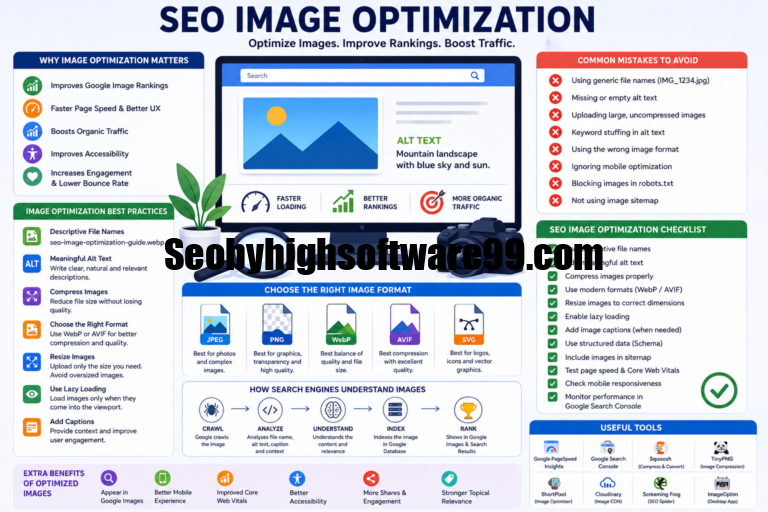
| Images | Descriptive filenames and alt text where appropriate | Medium |
| Mobile SEO | Mobile usability and responsive design | High |
| Page Experience | Loading and interaction performance | High |
| Backlinks | Quality and relevance of referring domains | Medium |
| Local SEO | Business information and local visibility | Medium |
| Analytics | Organic traffic and conversion tracking | High |
This table can be customized according to the website’s goals.
Internal Linking Audit
Internal links connect pages within the same website and help users and search engines discover related content.
During an internal linking audit, identify important pages that receive very few internal links. Also look for pages containing excessive or irrelevant links.
A strong internal linking structure usually helps visitors navigate related information naturally. It can also make the website’s hierarchy easier for search engines to understand.
Pay particular attention to important commercial pages, cornerstone content, category pages, and articles that should receive more contextual internal links.
Backlink Audit
Backlinks are links from external websites to your website. A backlink audit evaluates the website’s external link profile and helps identify potentially useful, irrelevant, or suspicious patterns.
Your template can include the referring domain, target URL, anchor text, link type, relevance, and other available information.
However, backlink quantity alone should not be treated as a measure of SEO success. Relevance, context, editorial value, and the overall quality of the linking website are more meaningful considerations.
The goal of a backlink audit should be to understand the website’s link profile and identify opportunities or concerns rather than simply collecting as many links as possible.
Mobile SEO Audit
A significant portion of web traffic comes from mobile devices, making mobile usability an important part of an SEO audit.
Check whether the website works properly on different screen sizes. Text should be readable, navigation should be usable, and important content should remain accessible on smaller screens.
Also review mobile page performance and interactive elements. A page that works well on a desktop computer but provides a poor mobile experience can create usability problems.
A responsive website design is generally an important foundation for maintaining a consistent experience across devices.
Page Speed and Performance
Website performance can affect both user experience and search performance.
A performance section in your SEO audit template should record important page experience observations and performance measurements. Look for pages that load slowly or contain unnecessary resources.
Common areas to investigate include large images, excessive scripts, inefficient code, server response times, and third-party resources.
Instead of optimizing every page equally, prioritize important landing pages and pages with significant organic traffic or business value.
Keyword and Search Intent Audit
Keyword research should be connected to search intent. A page targeting an informational query should provide useful information, while a page targeting a transactional query may need to help users make a purchase or take another commercial action.
During an audit, compare target keywords with the actual content and purpose of each page.
You can create columns for:
- Target keyword
- Search intent
- Current ranking
- Target URL
- Organic traffic
- Optimization status
This makes it easier to identify keyword gaps and pages that may need better alignment with user expectations.
Local SEO Audit
For businesses serving specific geographic areas, local SEO should be included in the audit.
Check whether business information is consistent across important platforms and whether location-specific pages are useful and properly optimized.
Review the website’s contact information, location pages, local content, and relevant business listings. The exact audit process will depend on whether the business serves customers from one location, multiple locations, or a wider service area.
How to Perform an SEO Audit Step by Step
Step 1: Define the Audit Goals
Before starting, determine what you want the audit to achieve. The objective might be improving organic traffic, resolving technical issues, increasing conversions, or evaluating a recent website migration.
Step 2: Crawl the Website
Review the website’s pages and identify technical problems, broken links, redirects, duplicate URLs, missing metadata, and other issues.
Step 3: Review Indexing
Check whether important pages are available for search engine indexing and whether unwanted pages are being indexed.
Step 4: Analyze On-Page Elements
Review titles, headings, URLs, metadata, content, images, and internal linking across important pages.
Step 5: Evaluate Content
Identify outdated, duplicate, weak, or poorly aligned content. Look for opportunities to improve existing pages.
Step 6: Review Backlinks
Analyze the website’s referring domains and backlink profile to understand its external authority and link-related opportunities.
Step 7: Check Performance and Mobile Usability
Review website performance and mobile experience, particularly on important landing pages.
Step 8: Prioritize Issues
Not every problem has the same impact. Categorize issues as high, medium, or low priority based on their potential effect and the effort required to fix them.
Step 9: Create an Action Plan
Turn audit findings into specific tasks. Each task should have an owner, priority, recommended solution, and status.
Step 10: Track Improvements
An audit is most useful when it leads to measurable improvements. Revisit the template after implementing changes and record which issues have been resolved.
Common SEO Audit Mistakes to Avoid
One common mistake is focusing entirely on technical SEO while ignoring content and search intent. A technically clean website can still perform poorly if its content does not satisfy users. Another mistake is treating every issue as equally important. Large websites can generate hundreds or thousands of audit warnings, but fixing everything at once is rarely practical.
It is also important to avoid making changes simply because an SEO tool reports a warning. Automated tools are useful for finding potential issues, but every recommendation should be evaluated in context.
Finally, an audit should not be considered a one-time activity. Websites change constantly as new pages are published, old content is updated, platforms are modified, and technical configurations evolve.
How Often Should You Use an SEO Audit Template?
The ideal audit frequency depends on the size and complexity of the website. Small websites may benefit from a comprehensive audit every few months, combined with ongoing monitoring. Larger websites with frequent content or technical changes may require more regular reviews.
A complete audit should also be considered after major events such as website redesigns, domain changes, migrations, significant URL structure updates, or major technical changes. Regular monitoring helps identify problems before they become larger issues.
Benefits of Using an SEO Audit Template
Using a template creates consistency. Different audits can follow the same basic process, making results easier to compare over time. It also improves efficiency because you do not have to recreate your checklist for every project. Teams can assign individual tasks and track their progress from a central document.
Another advantage is communication. Clients, managers, and team members can clearly see what problems were discovered, why they matter, and what actions are recommended. Most importantly, a good template turns an SEO audit from a collection of observations into an organized improvement plan.
FAQ’s
What is the purpose of an SEO audit template?
An SEO audit template provides a structured framework for evaluating technical SEO, on-page optimization, content, internal links, backlinks, mobile usability, performance, and other important areas.
Can beginners use an SEO audit template?
Yes. A well-designed template can make SEO auditing easier for beginners because it provides a clear checklist of areas to review.
What should be checked first in an SEO audit?
Technical accessibility and indexing are good starting points. If important pages cannot be crawled or indexed correctly, other optimization efforts may have limited value.
How long does an SEO audit take?
The time required depends on website size, complexity, technical setup, and audit depth. A small website can be reviewed relatively quickly, while a large website may require significantly more time and analysis.
Is an SEO audit a one-time process?
No. SEO should be monitored continuously. A comprehensive audit can be performed periodically, while important technical and performance indicators can be monitored more frequently.
Final Thoughts
A well-designed SEO audit template makes website analysis more organized, repeatable, and actionable. Instead of checking SEO factors randomly, you can use a structured process to evaluate technical performance, indexing, content, on-page optimization, internal links, backlinks, mobile usability, and website performance.
The most effective audit is not simply a long list of errors. Its real value comes from identifying the issues that matter most, explaining why they matter, and creating a practical plan for resolving them. Whether you are auditing a small business website, an ecommerce store, a blog, or a large enterprise website, a consistent SEO audit template can help you maintain a healthier website and make better optimization decisions over time.